
FieldRoutes to PestPac by WorkWave
Moving from FieldRoutes to PestPac by WorkWave can take as few as 19 business days.
So far in 2026, we have helped 40 clients migrate from their legacy system to WorkWave. While each project can be unique, a standard migration takes about 6 weeks and is designed to protect your data and keep your day-to-day running. You bring the decisions, we bring what we have learned from every migration, so you avoid the common pitfalls.
Based on WorkWave Data Services migration records, January 1 to October 31, 2026. Timelines are estimates for a standard migration and depend on your data and approvals.
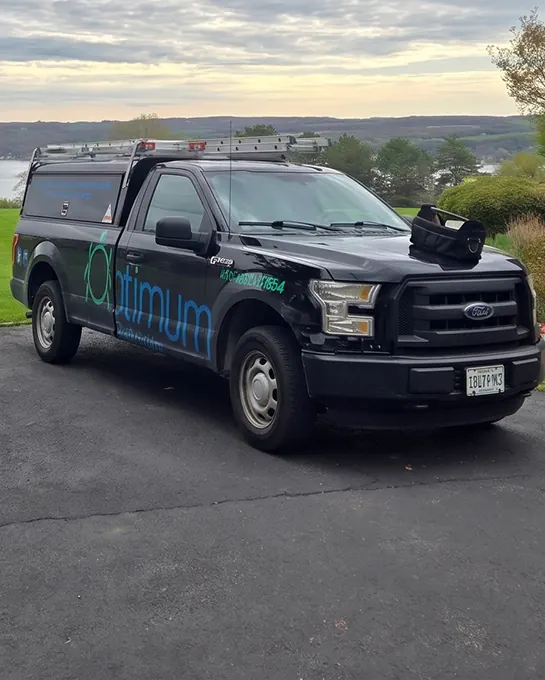
“I finally made the move, and the grass was not greener on the other side.”
Jeff Butler, owner, Optimum Pest Pros
Spent seven months on FieldRoutes before returning to PestPac.
About six weeks
Estimated for a standard migration, from your start date. Your data and approvals set the pace.
You sign off twice
You sign off on both how your data is matched and on the full draft. Nothing goes live until you have approved each.
A partner, not a handoff
One named team guides you from kickoff to go-live and shares the lessons from the migrations we have run.
Before you move
Six questions worth asking any vendor before you switch.
Here is how a PestPac migration answers each one.
Will my FieldRoutes customers, routes and history come over to PestPac?
Yes. Your customers, recurring services, routes, schedules and service history are matched and moved.
A few things arrive in a different form, and we tell you up front: past balances come over as a single balance-forward amount, and tax is not broken out in your service history. Details are below.
How long does a FieldRoutes to PestPac migration take?
A standard migration is estimated at about six weeks, and can take as few as 19 business days.
Your team’s readiness sets the pace: access to your data, quick reviews and approvals. If anything slips on either side, we flag it right away.
What if my FieldRoutes data comes over wrong and I only find out on go-live day?
You see it first. Before anything goes live, you review your own data in a draft PestPac environment.
Our analysts check the draft alongside you, and issues are fixed before go-live. We go live only after you give written approval, and the final move runs from a fresh copy of your data.
What happens to my FieldRoutes cards and bank accounts on file?
Card and bank (ACH) details move securely as their own workstream.
We need your card data two weeks before go-live, so we set that date with you at kickoff.
Who do I call when something looks off during my PestPac migration?
The same people who built your migration.
You get a kickoff call, a checklist for reviewing your data, and a shared tracker of open issues and fixes. For three business days after go-live, we give hands-on support for any data issues, then your account moves to ongoing support.
Will the scope or cost of my PestPac migration change?
Scope, schedule and fees are agreed in writing before work starts.
If the work grows, we document the change and get your written approval before doing anything extra. Anything outside the standard list gets its own estimate.
Your migration, step by step
Six phases, drawn to scale.
The fastest path takes 19 business days and the longest takes 33. The two phases in teal are yours to approve.
Send your data
2 to 3 business days
You provide a backup of your current system and upload it to a secure environment.
Data mapping
3 to 5 business days
We show you how each piece of your data will land in PestPac. Nothing moves until you approve it.
Build your draft
5 to 10 business days
We run a test migration and build a draft PestPac environment from your data.
Review your draft
5 to 10 business days
You review your data in draft while we check it alongside you. When you are satisfied, you give written approval.
Go live
1 to 2 business days
We run the final migration from a fresh copy of your data, on a date we agree with you.
Support after go-live
3 business days
Hands-on help with any data issues, then a handoff to ongoing support.
Timelines are estimates for a standard migration. Actual dates depend on your readiness, data volume, third-party dependencies and approvals. Changes to scope are agreed in writing.
What moves
What comes over, and what we have learned to plan for.
Every migration teaches us something. These are the lessons that make the next one smoother for you.
What comes over in a standard migration
- Your customersNames, addresses, phone and email, billing terms, tax settings and service notes
- Your recurring servicesWhat you sell, price, schedule, duration, assigned technician and route, plus renewal and cancellation dates
- Your scheduled workOpen service orders with price, duration, technician and route
- Your service historyPast service records, with your open balances carried forward
- Cards and bank accounts on fileMoved securely as their own workstream
- Documents and Sentricon recordsDocuments follow after go-live. We coordinate with Corteva to link your Sentricon data.
Anything outside this list gets its own estimate.
Lessons from the migrations we have run
- Tidy your records firstCleaner source data means a smoother move. We give you a checklist to audit your data before mapping.
- Decide what stays and what retiresWe start with how you run scheduling, service and billing today, then agree which processes carry over and which you leave behind.
- Plan for cards earlyPayment data is needed two weeks before go-live.
- Tell us about new codesIf you add service codes or other new items mid-project, we send a quick update to review. A fast turnaround keeps the date.
- Expect a different shape for old balancesThey arrive as a single balance-forward amount, tax is not broken out in your service history, and payments are recorded as service history entries.
Who does what
A named team on our side, a clear role on yours.
Your WorkWave team
- Data conversion analystYour day-to-day contact for the migration. Matches and validates your data and supports your draft and final move.
- Data engineerHandles the technical move into PestPac and resolves complex issues.
- Implementation specialistLeads weekly sessions to get your team set up in PestPac and keeps your schedule on track.
- Account managerYour contact for contracts, licensing and new modules.
What we need from you
- One project managerA consistent point of contact on your side
- One person who knows your current systemIdeally someone who also knows your third-party apps and can check financial data
- Quick reviewsApprovals on schedule keep the timeline
- A heads-up to your team and customersSo nobody is surprised by the switch
From an operator who moved
“My technicians love PestPac, the functionality of it, the ease of the mobile app.”
Jeff Butler, owner, Optimum Pest ProsRochester and Auburn, NY
Optimum Pest Pros spent seven months on FieldRoutes before returning to PestPac.
Read the Optimum Pest Pros case studyCompare FieldRoutes vs PestPac feature by featureNext step
See your migration plan before you commit.
A PestPac specialist walks you through the six phases for your setup and answers the questions you came with.
Complete a live demo. Get a YETI Roadie 24 ($250 retail value)*
ServiceTitan pivoted back to core trades, as shared on its earnings call. PestPac is committed to pest. If you are asking how confident you are in the long-term stability of your platform, this is a reasonable time to compare.